 Spotify
Published Modified
Spotify Companion Banner ad specs
Spotify Companion Banner ads are square 1:1 still images, up to 0.2 MB per file, delivered as JPG or PNG. They run in the Now Playing placement on Spotify.
- min 600×600 px
- 1:1
- 200 KB
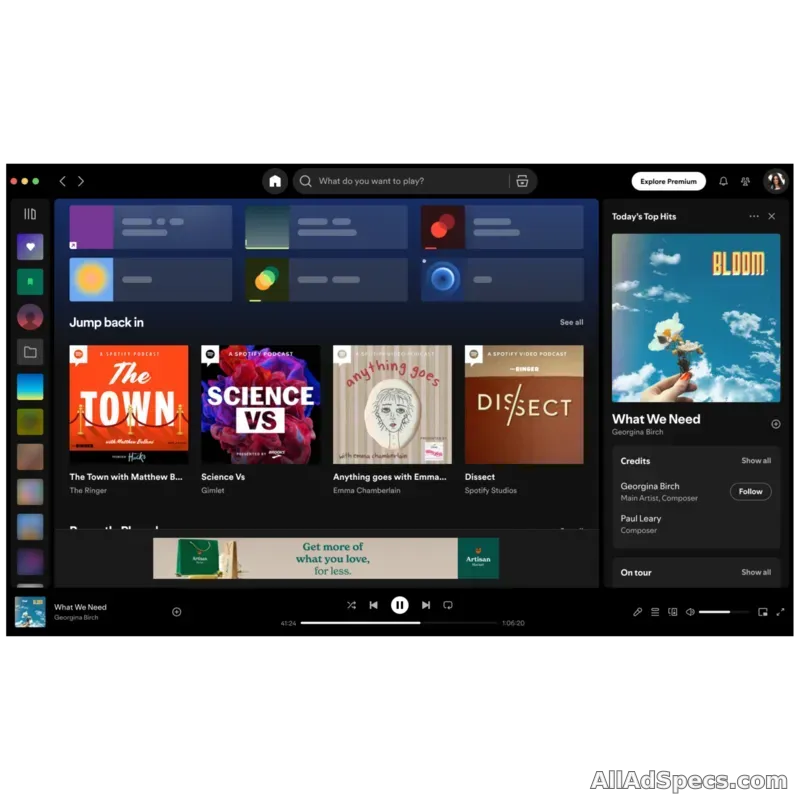
Visual
- Minimum size
- 600 × 600 px
- Aspect ratios
- 1:1
- Orientation
- square
- Max file size
- 200 KB
- File types
- JPG, PNG
More details
- Markets
- Global
Notes & source
- Ads Manager / Direct IO audio component, not an independent display buy
- Optional Canvas replaces the standard companion on mobile
- Podcast CTA cards and Exchange companions have different requirements
Official source (opens in a new tab) · checked November 2026
Frequently asked questions
What aspect ratio does Spotify Companion Banner use?
Spotify Companion Banner supports 1:1 aspect ratio.
What is the maximum file size for Spotify Companion Banner?
Files for Spotify Companion Banner can be up to 0.2 MB.
Which file formats does Spotify Companion Banner accept?
Spotify Companion Banner accepts JPG and PNG files.
What is the Spotify Companion Banner ad format?
Spotify Companion Banner is a image ad format that runs in the Now Playing placement on Spotify. This page documents its full creative requirements, sourced from Spotify's official ad documentation.
Where does Spotify Companion Banner appear on Spotify?
Spotify Companion Banner ads appear in the Now Playing placement on Spotify.
How does Spotify Companion Banner compare to other Spotify ad formats?
Spotify Companion Banner differs from other Spotify placements in its dimensions, and a 0.2MB file ceiling. Compare side-by-side from the Spotify publisher page on All Ad Specs.
Where can I find the official Spotify Companion Banner documentation?
The official source for Spotify Companion Banner requirements is https://ads.spotify.com/en-US/ad-specs/audio-ad-specs/, linked from this page.
Are these Spotify Companion Banner specs kept up to date?
Yes — every spec entry references Spotify's official documentation source so dimensions, file size limits, and codec requirements stay in sync as the platform changes.