 Twitch
Published Modified
Twitch Homepage Headliner — Desktop ad specs
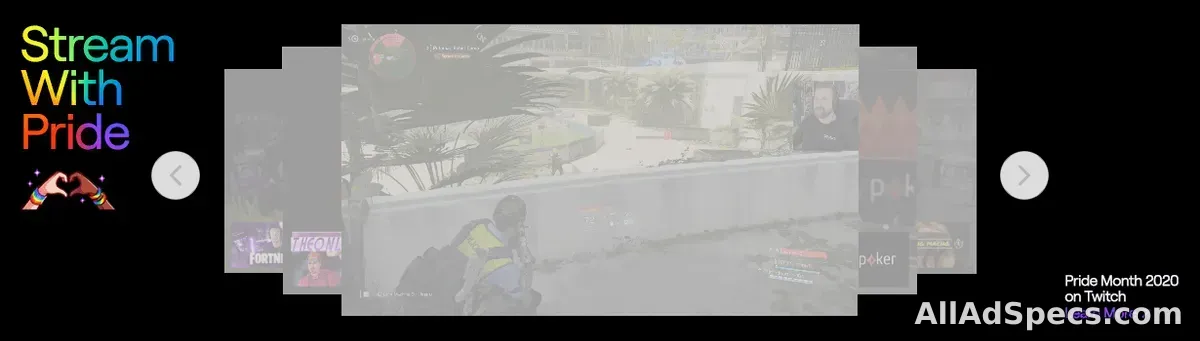
Twitch Homepage Headliner — Desktop ads are horizontal 9:7 still images, measured at 450×350 px, up to 0.15 MB per file, delivered as JPG or PNG. They run in the Desktop Homepage placement on Twitch.
- 450×350 px
- 9:7
- 150 KB
Visual
- Dimensions
- 450 × 350 px
- Aspect ratios
- 9:7
- Orientation
- landscape
- Max file size
- 150 KB
- File types
- JPG, PNG
- Animation
- Not allowed
- Safe area
- 150 px
- Transparency
- Not allowed
More details
- Delivery
- Site-served
- Markets
- Global
- Third-party tracking
- Allowed
Notes & source
- Desktop Headliner is assembled from three components: a Left graphic and a Right graphic (each 450×350) plus a center background hex color code
- Approved third-party impression and click trackers are accepted
Official source (opens in a new tab) · checked November 2026
Frequently asked questions
What size are Twitch Homepage Headliner — Desktop ads?
Twitch Homepage Headliner — Desktop ads are 450×350 pixels with an aspect ratio of 9:7.
What aspect ratio does Twitch Homepage Headliner — Desktop use?
Twitch Homepage Headliner — Desktop supports 9:7 aspect ratio.
What is the maximum file size for Twitch Homepage Headliner — Desktop?
Files for Twitch Homepage Headliner — Desktop can be up to 0.15 MB.
Which file formats does Twitch Homepage Headliner — Desktop accept?
Twitch Homepage Headliner — Desktop accepts JPG and PNG files.
What is the Twitch Homepage Headliner — Desktop ad format?
Twitch Homepage Headliner — Desktop is a image ad format that runs in the Desktop Homepage placement on Twitch. This page documents its full creative requirements, sourced from Twitch's official ad documentation.
Where does Twitch Homepage Headliner — Desktop appear on Twitch?
Twitch Homepage Headliner — Desktop ads appear in the Desktop Homepage placement on Twitch.
How does Twitch Homepage Headliner — Desktop compare to other Twitch ad formats?
Twitch Homepage Headliner — Desktop differs from other Twitch placements in its 450×350px canvas, and a 0.15MB file ceiling. Compare side-by-side from the Twitch publisher page on All Ad Specs.
Where can I find the official Twitch Homepage Headliner — Desktop documentation?
The official source for Twitch Homepage Headliner — Desktop requirements is https://advertising.amazon.com/resources/ad-specs/twitch/homepage-headliner, linked from this page.